Loki Checkout
The main Magento 2 core module of the LokiCheckout is called LokiCheckout_Core. It contains the barebones functionality of the checkout, based on another module called Loki_Components (plus some other modules). It also offers themes and grid layouts to modify the entire checkout quickly.
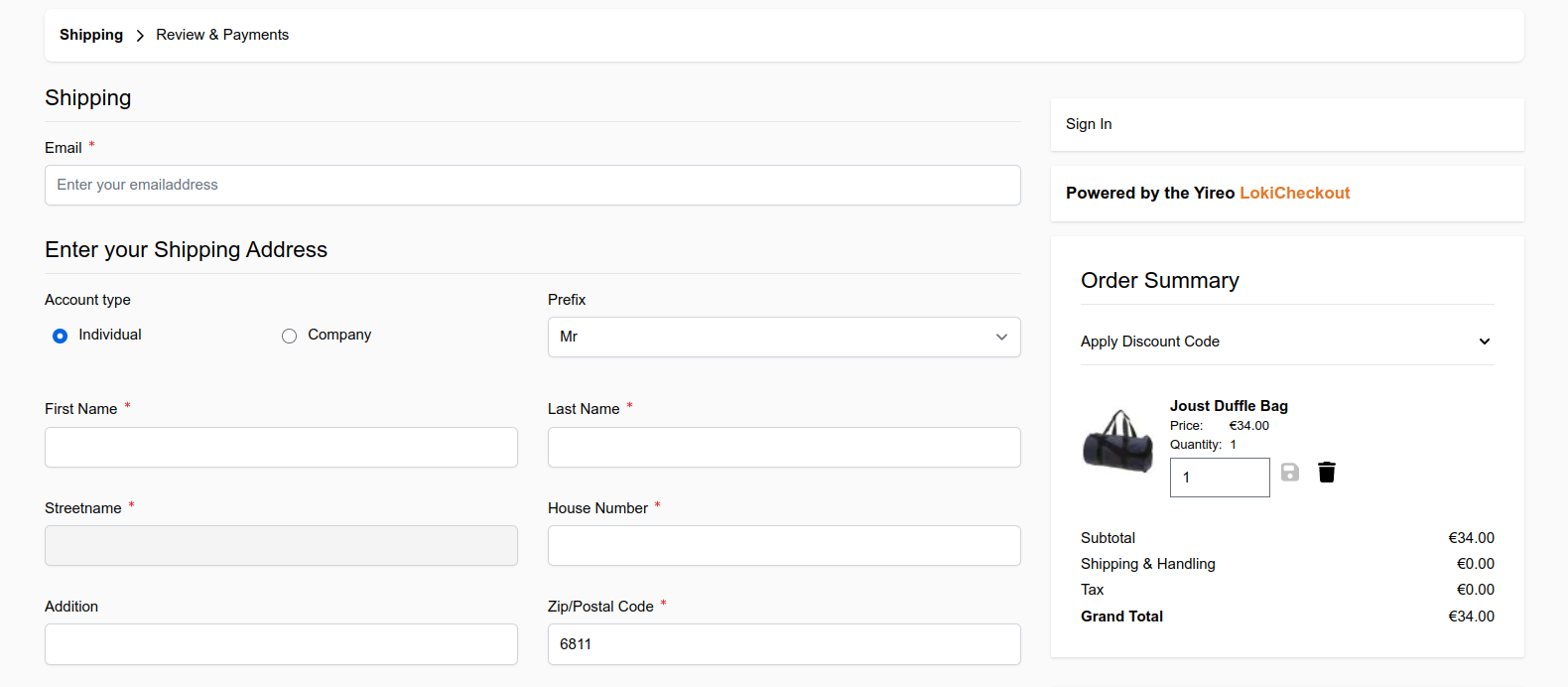
The features of the core module are actually documented througout this site. So on this page, the focus is only to discuss the configuration settings of this module.
Configuration settings
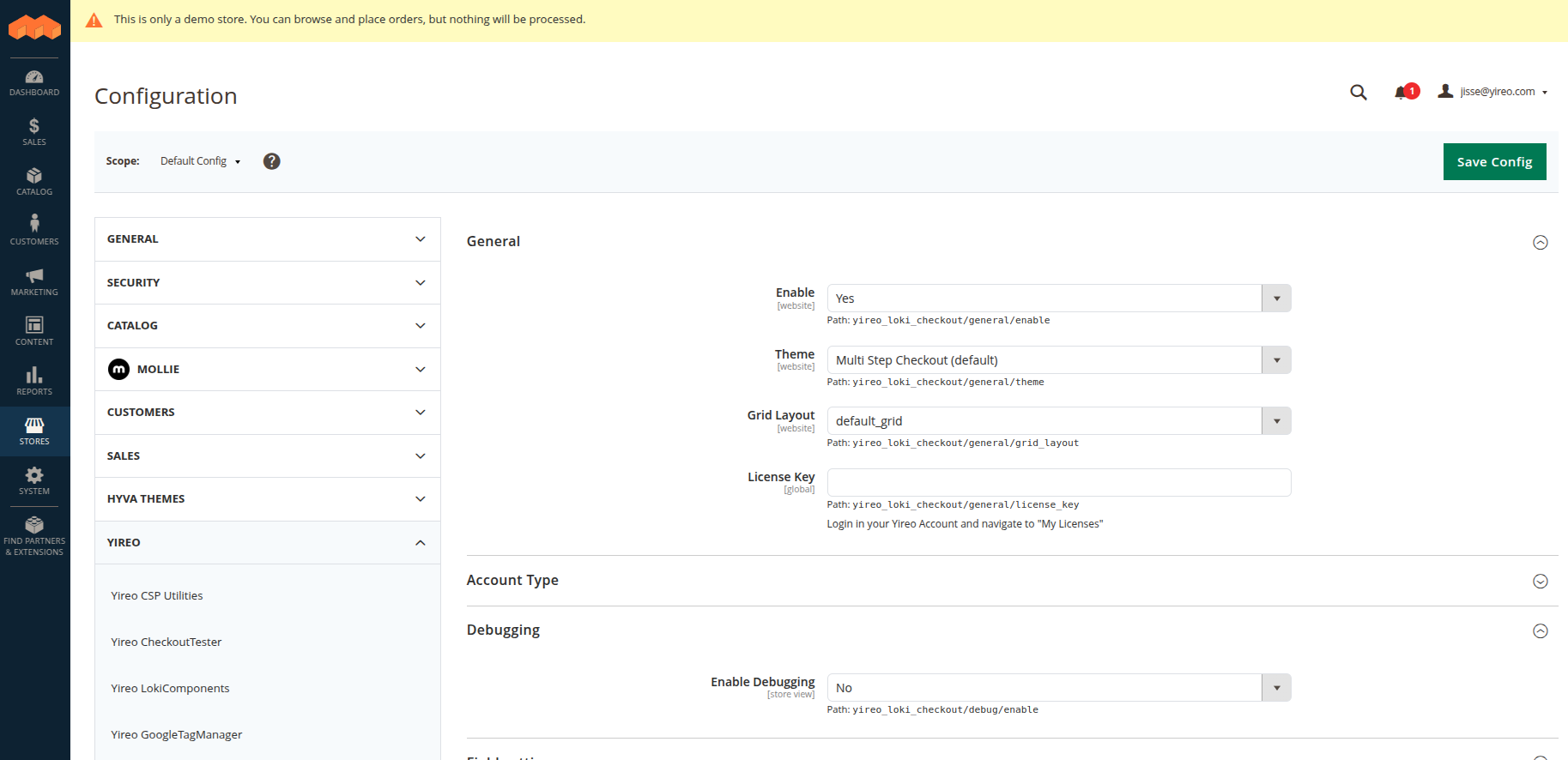
All configurations are found under Store > Configuration > Loki > Loki Checkout.
General > Enable
loki_checkout/general/enable
Toggle this setting to enable or disable the LokiCheckout on the fly. Probably you will keep this on at all times.
General > Theme
loki_checkout/general/theme
Change the complete layout of the checkout by using a specific theme.
General > Address Grid Layout
loki_checkout/general/grid_layout
All HTML elements in an address block (shipping address, billing address) are ordered according to a Grid
Layout (created via a file <code>etc/loki_checkout.xml</code>). This setting configures the default grid.
General > License Key
loki_checkout/general/license_key
Enter your LokiCheckout license key as found in our Yireo shop under "My Licenses". The license key is also used as composer key to download packages.
Debugging > Enable Debugging
loki_checkout/debug/enable
With debugging enabled, further details are added through the checkout, ideal for development.
Debugging > Add Hints to HTML Output
loki_checkout/debug/html_hints
Adds an HTML comment in each LokiComponent for reviewing via your browser.
Debugging > Add Debug Block
loki_checkout/debug/debug_block
Similar to the original Magento template hints behaviour, this adds a popup with meta-information for each LokiComponent. Either you like it or you find it hugely annoying.
Field settings > Enable Same As Billing Checkbox
loki_checkout/fields/enable_same_as_billing
The checkbox that let's customers reuse their shipping address as billing address (or vice versa) could be toggled here.
Field settings > Hide Region When Optional
loki_checkout/fields/hide_region_when_optional
With some countries, the region is required. With some, it is optional. When this option is enabled, the region field disappears if it is optional for the choosen country.
Field settings > Enable Vat ID Only For Companies
loki_checkout/fields/enable_vat_id_only_for_company
With this option enabled, the VAT ID field is hidden if there is no value for the company given.
Shipping settings > Select Default Shipping Method
loki_checkout/shipping/select_default_shipping_method
With this option enabled, the first shipping method is automatically selected.
Billing settings > Select Default Payment Method
loki_checkout/billing/select_default_payment_method
With this option enabled, the first payment method is automatically selected.
Cart settings > Maximum items visible
loki_checkout/cart/max_items_visible_count
This number determines how many products are shown in the sidebar. When there are more items, the entire list can be expanded.
Newsletter settings > Subscribe by default
loki_checkout/newsletter/default_value
With this option enabled, the customer is subscribed by default.
Last modified: November 4, 2025